How to Create a Strong Password Without Common Mistakes
Learn how to create a strong password, avoid common mistakes, use passphrases and password managers, and keep your online accounts secure.
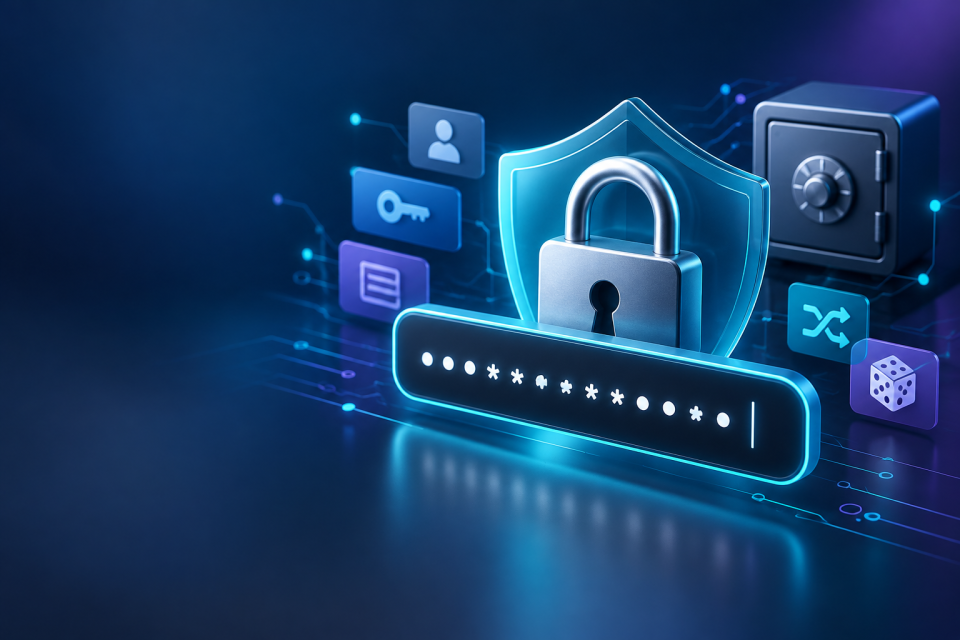
A strong password is long, difficult to predict, and used for only one account. The simplest approach is to generate a unique password of at least 16 characters, save it in a trusted password manager, and turn on multifactor authentication (MFA) wherever possible. If you need something you can remember, use a long passphrase made from several randomly selected, unrelated words.
You do not need to memorize dozens of complicated strings or replace every letter with a symbol. The goal is to make your accounts difficult to break into without making everyday sign-ins frustrating. Here is how to do it, including the mistakes worth avoiding.
What Makes a Password Strong?
Length Makes Guessing Harder
Each additional unpredictable character can increase the number of possible passwords an attacker would need to try. That is why length is more useful than a short password packed with symbols. For example, P@ssw0rd! includes capitals, a number, and a special character, but it is based on an extremely familiar word and substitution pattern.
As a practical target, aim for at least 16 characters, and go longer when you can. The US National Institute of Standards and Technology (NIST) requires a minimum of 15 characters for passwords used as the only authentication factor in systems covered by its guidance. The Cybersecurity and Infrastructure Security Agency (CISA) recommends at least 16 characters for strong passwords.
Length alone is not a guarantee. Twenty repeated letters, a famous quotation, or your full name followed by a date can still be predictable.
Randomness Beats Clever Patterns
People tend to choose words, birthdays, keyboard patterns, and familiar substitutions. Attackers can test many of these choices automatically. A truly random string is much less predictable than a password that merely looks unusual to its creator.
Randomly chosen passphrases are another good option. A passphrase joins several unrelated words into one long secret. Its strength comes from the unpredictable selection of words, not simply from being a sentence.
Uniqueness Prevents One Breach From Spreading
Even an excellent password becomes risky when you reuse it. If one website suffers a data breach, attackers may try the leaked email-and-password combination on shopping, banking, social media, and email services. This is known as credential stuffing.
Use a different password for every account, especially your primary email account, which may be used to reset other passwords.
How to Create a Strong Password Step by Step
Step 1: Choose a Sensible Length
For passwords you will store in a manager, a randomly generated string of 20–24 characters is a practical choice when the website allows it. Sixteen randomly generated characters is also a useful baseline. For something you must remember, choose a passphrase of roughly five to seven randomly selected words.
Some websites impose character limits or rules. Follow their requirements, but do not interpret an eight-character minimum as the ideal security target.
Step 2: Generate Something Unpredictable
Use a reputable password manager's built-in generator or a password-generation tool rather than inventing a familiar pattern. You can explore the FBSubNet Password Generator when creating a new password. Check the resulting password's length and suitability for your account, and do not paste an existing secret into a generator.
For a memorable passphrase, select words with a random method, such as a trustworthy random-word generator or a dice-based word list. Do not start with your favorite song title and assume that adding punctuation makes it random.
Step 3: Make It Exclusive to One Account
Create a fresh password for each new sign-up. Avoid schemes such as using the same main password plus -gmail, -shop, or a website's name. If the basic pattern leaks, the other passwords become easier to work out.
Prioritize your email, banking, cloud storage, work accounts, and the account used for your password manager. Then replace reused passwords on less important sites as you encounter them.
Step 4: Save It Somewhere Secure
A trusted password manager can store unique passwords so you only need to remember one strong master password or other method of unlocking your vault. Look for a manager that works across your devices, supports account recovery you understand, and offers MFA.
Protect the manager itself with a long, unique master passphrase. Keep its recovery information somewhere secure and accessible to you if your phone or computer is lost. Avoid unprotected notes, shared documents, and screenshots containing passwords.
Step 5: Enable Another Sign-In Safeguard
In your account's security settings, turn on MFA. A second step helps if somebody obtains your password. When supported, passkeys or security keys provide stronger phishing resistance than manually entered one-time codes. Authenticator apps are another useful option. Text-message codes are generally better than having no second factor, although they have limitations.
Save any backup codes in a secure place separate from the device you might lose. A strong password cannot help much if an attacker can take over your account through an unprotected recovery method.
Two Practical Password Examples
Example 1: Create a Random Password for an Online Store
Suppose you are registering for a shopping account and will save its login in a password manager.
- Set the generator to produce a password of 20 characters, if that option is available.
- Select a randomly generated mix of supported characters.
- Save the result with the correct website address in your manager.
- Turn on MFA if the store supports it.
Illustrative output: v9T!p4Q#r2M@x7L$k8N?
You would not need to remember this string. You would unlock your password manager and let it enter the saved credential. The example is public, so do not use this exact password for a real account.
Example 2: Make a Memorable Passphrase for Your Password Vault
Suppose you need a secret you can type without opening another app. Select six unrelated words at random, using a suitable word list rather than choosing a meaningful phrase yourself.
Illustrative output: copper-harbor-tulip-velvet-orbit-kettle
This is easier to read than a collection of random symbols, and its length can be an advantage. But the security depends on how the words were chosen. A phrase from a book, a personal story, or six words you selected because they sound good is less unpredictable. Do not use the public example above as your actual master passphrase.
Common Password Mistakes to Avoid
Using Personal Details or Popular Phrases
Names, birth years, cities, favorite teams, and pet names may be public or easy to discover. Something like Oliver2026! might meet a site's formatting rules, yet still be simple to guess. Famous lyrics and quotations are not reliable substitutes for randomly chosen words either.
Making Short Passwords Look Complicated
Replacing a with @, o with 0, or adding ! to the end does not magically make a common password safe. Attackers understand these substitutions. Prefer more unpredictable characters or genuinely random words instead of decoration.
Reusing One Password Everywhere
This can turn a minor breach at one service into a serious problem across several accounts. Changing the last two digits for each site does not solve it. The safer habit is one newly generated password per login.
Relying on Password Strength Meters Alone
Website strength indicators use different rules. A password might receive a reassuring rating because it has uppercase letters and symbols even though it follows a familiar pattern. Treat the meter as feedback, not proof. Length, unpredictability, uniqueness, and whether the password has been exposed matter more.
Sharing Passwords Through Messages or Saving Them Carelessly
Sending a password in an ordinary chat, emailing it to yourself, or keeping a list in an unprotected document creates additional ways for it to leak. If you must share account access, use a secure sharing function from a trusted manager when available, or use a service's official delegated-access feature. Avoid sharing your personal account credentials when separate access is possible.
Changing Good Passwords for No Reason
Regularly replacing strong passwords on a calendar can encourage small, predictable edits. NIST guidance advises against requiring periodic password changes without evidence of compromise. Focus instead on changing secrets promptly when there is a credible reason, and respect any applicable workplace policy.
When Should You Change a Password?
Change a password immediately if you discover it in a reported breach, entered it on a phishing page, shared it with an untrusted person, or suspect someone has accessed your account. If you reused it, replace that password on every affected site with a different new one.
Use the legitimate app or type the website address yourself rather than following an unexpected password-reset link. After changing the password, review recent sign-ins, sign out unfamiliar sessions where that option exists, and check recovery email addresses and MFA settings for unauthorized changes.
If the account or device may be compromised by malware, secure the device first and use a trusted device to update credentials. Otherwise, a new password might also be stolen.
Are Passwords Enough to Keep an Account Safe?
No password, however long, prevents every attack. A fake login page can trick you into giving away the secret, malicious software can capture it, and weak recovery procedures can allow an account takeover. Good security therefore combines unique passwords with safer login methods and careful habits.
Passkeys are worth considering wherever supported. Instead of sending a reusable password to a website, a passkey uses cryptographic credentials associated with the legitimate service. Properly implemented passkeys resist phishing because they are bound to the correct website. You may unlock them using a device PIN, fingerprint, or face recognition. You still need to protect your devices and plan for account recovery.
Keep your phone and computer updated, lock your screens, and be cautious with urgent messages demanding that you sign in. A secure account is built from several good decisions, not one clever string of characters.
Frequently Asked Questions
Is a 12-Character Password Strong Enough?
It depends on how it was created and where it is used, but 12 characters is below the practical 16-character target recommended here. A randomly generated 12-character password is generally harder to guess than a predictable 12-character phrase. For new accounts, choose 16 or more characters when possible.
Is a Long Passphrase Better Than a Complex Password?
Either can work well. A long passphrase made from independently and randomly selected words can be easier to remember. A long, randomly generated character string is convenient when stored in a password manager. In both cases, avoid reuse and predictable choices.
Should Every Password Contain Numbers and Symbols?
Not necessarily. Websites sometimes require them, and random character strings can include them, but mandatory character mixtures are not a substitute for length and unpredictability. NIST's password guidance advises against imposing composition rules as a general requirement.
What if I Forget My Password Manager's Master Password?
Recovery options differ between password managers, and some cannot restore your vault if you lose the required secret and recovery materials. Before relying on one, understand its recovery process, secure any recovery codes or emergency kit, and consider keeping a protected offline copy of essential recovery information.
Conclusion
Learning how to create a strong password is mainly about adopting a repeatable system: make passwords long, generate them unpredictably, keep each one unique, and store them safely. Add MFA or a passkey wherever available, and act quickly when a credential may be exposed. These straightforward habits offer better everyday protection than constantly inventing clever-looking passwords you cannot remember.