How to Convert HEX Colors to RGB With Easy Examples
Learn HEX to RGB color conversion with easy steps, practical examples, CSS tips, and common mistakes to avoid. Convert color codes confidently every time.
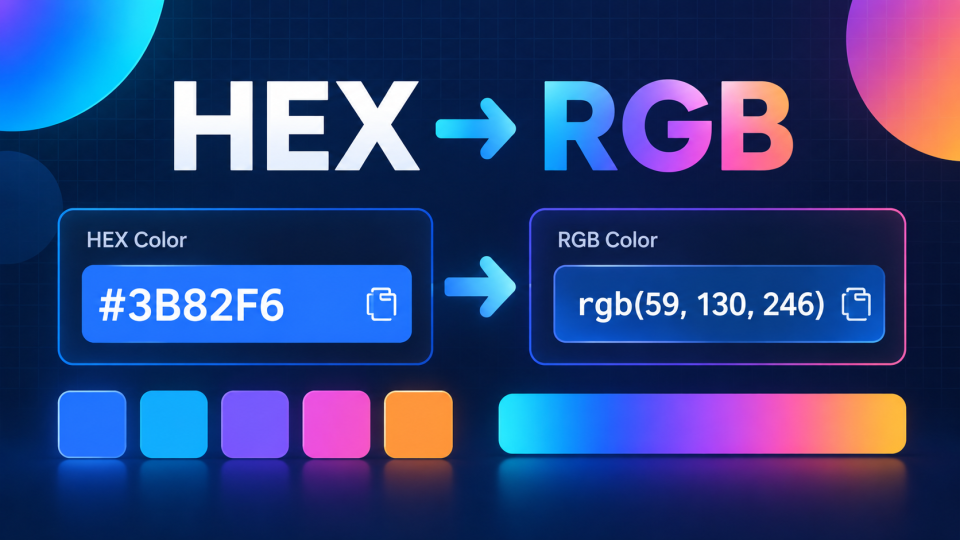
Converting a HEX color to RGB is simple: split the six-character HEX code into three pairs, convert each pair from hexadecimal (base 16) to decimal (base 10), and use the results as the red, green, and blue values.
For example, the HEX color #3B82F6 converts to rgb(59, 130, 246). Both codes represent the same blue color, just written in different formats.
You can perform HEX to RGB color conversion with an online converter or calculate the values manually. Understanding both methods is useful when designing websites, editing CSS, working with graphics, or matching colors across applications.
This guide explains the conversion process, demonstrates real examples, and covers common mistakes, transparency, and practical CSS applications.
What Are HEX and RGB Color Codes?
HEX and RGB are two common ways to represent digital colors. Both describe how much red, green, and blue a color contains, but they use different numbering systems.
What Is a HEX Color Code?
A HEX color code uses hexadecimal numbers to represent a color. Standard six-digit HEX codes begin with a hash symbol (#) followed by six characters.
For example:
#FF5733
The code contains three pairs:
FFrepresents red.57represents green.33represents blue.
Hexadecimal uses 16 symbols: 0–9 and A–F. The letters represent decimal values from 10 to 15.
Each two-character color component can represent a value from 0 to 255.
HEX codes are widely used in web development, digital design, CSS stylesheets, and brand color guidelines.
What Is an RGB Color Code?
RGB stands for Red, Green, and Blue. It represents colors using three numerical values, normally ranging from 0 to 255.
For example:
rgb(255, 87, 51)
Here:
Red = 255
Green = 87
Blue = 51
A value of 0 means that a particular color channel contributes nothing, while 255 represents its maximum intensity.
Combining different red, green, and blue intensities creates a wide range of digital colors.
The important point is that HEX and RGB are not competing color systems in ordinary web design. Standard HEX colors and RGB CSS values describe colors in the same sRGB color space.
How to Convert HEX to RGB Using an Online Tool
The easiest method is to use a color converter, especially when working with multiple colors or preparing website styles.
You can use the free FBSubNet Color Converter to convert standard HEX codes into RGB values directly in your browser.
Follow these steps:
- Open the FBSubNet Color Converter.
- Enter your HEX color, such as
#3B82F6, into the HEX field. - Check the corresponding RGB values displayed by the tool.
- Review the color preview to confirm the intended shade.
- Copy the RGB result and use it in your CSS or design project.
For this example, the converted value is:
HEX: #3B82F6
RGB: rgb(59, 130, 246)
The converter also supports short three-digit HEX codes, displays HSL values, and provides text contrast information.
Its HEX input supports three-digit and six-digit codes. CSS colors containing an additional alpha (transparency) component require separate handling.
An online converter is particularly helpful when copying colors from design files, updating themes, or checking several brand colors quickly.
How to Convert HEX to RGB Manually
Manual conversion helps you understand how color values work and makes it easier to recognize incorrect results.
A standard HEX color contains six hexadecimal characters arranged as:
#RRGGBB
The first two characters represent red, the next two represent green, and the final two represent blue.
Step 1: Remove the Hash Symbol
Suppose your HEX color is:
#2E8B57
Remove the # symbol to get:
2E8B57
The hash identifies the value as a HEX color in CSS, but it is not part of the numerical calculation.
Step 2: Split the Code Into Three Pairs
Separate the code into equal parts:
| Color channel | HEX value |
|---|---|
| Red | 2E |
| Green | 8B |
| Blue | 57 |
Each pair must now be converted into a decimal number.
Step 3: Convert Each Pair Into Decimal
For a two-digit hexadecimal number, use this formula:
Decimal value = (first digit × 16) + second digit
Remember that hexadecimal letters represent numbers. For example, E = 14 and B = 11.
Calculate the red channel:
2E = (2 × 16) + 14 = 46
Calculate the green channel:
8B = (8 × 16) + 11 = 139
Calculate the blue channel:
57 = (5 × 16) + 7 = 87
Step 4: Write the RGB Result
Combine the three decimal values in red, green, and blue order.
Final conversion:
#2E8B57 → rgb(46, 139, 87)
This produces a shade commonly known as sea green.
The key is to preserve the original channel order. HEX uses red, green, and blue in exactly the same sequence as RGB.
Practical HEX to RGB Conversion Examples
Understanding the formula becomes easier when you apply it to colors used in real design projects.
Example 1: Converting a Website's Primary Blue
Imagine you are building a website and your design specification includes this primary button color:
#3B82F6
Split it into three pairs:
| Channel | HEX | Decimal |
|---|---|---|
| Red | 3B | 59 |
| Green | 82 | 130 |
| Blue | F6 | 246 |
The RGB result is:
rgb(59, 130, 246)
You can use either version in CSS:
.primary-button {
  background-color: #3B82F6;
}

.secondary-button {
  background-color: rgb(59, 130, 246);
}
Both declarations produce the same background color.
This is useful when switching between a designer's HEX palette and RGB values required elsewhere in your styling workflow.
Example 2: Converting a Warm Orange Accent
Suppose an online store uses a warm orange color for promotional highlights:
#F4A261
Separate the values:
F4= (15 × 16) + 4 = 244A2= (10 × 16) + 2 = 16261= (6 × 16) + 1 = 97
The result is:
rgb(244, 162, 97)
You could use the color for a promotional banner:
.promo-banner {
  background-color: rgb(244, 162, 97);
  padding: 20px;
}
The conversion preserves the original color. It does not automatically make it brighter, darker, or more saturated.
Quick HEX to RGB Conversion Reference
These common examples are useful when learning color values or testing a design.
| HEX code | RGB value | Color |
|---|---|---|
#000000 | rgb(0, 0, 0) | Black |
#FFFFFF | rgb(255, 255, 255) | White |
#FF0000 | rgb(255, 0, 0) | Red |
#00FF00 | rgb(0, 255, 0) | Green |
#0000FF | rgb(0, 0, 255) | Blue |
#FFFF00 | rgb(255, 255, 0) | Yellow |
#808080 | rgb(128, 128, 128) | Gray |
#3B82F6 | rgb(59, 130, 246) | Blue |
For an opaque six-digit HEX color, the RGB conversion is exact. There is no approximation or color-quality loss involved.
How to Convert Three-Digit HEX Codes to RGB
Some CSS colors use a shortened three-digit HEX format.
For example:
#F80
This is shorthand for:
#FF8800
To expand a three-digit HEX code, repeat each character:
FbecomesFF.8becomes88.0becomes00.
Now convert each pair:
FF = 255
88 = 136
00 = 0
The final result is:
#F80 → rgb(255, 136, 0)
Not every six-digit code can be shortened. Shortening works only when both digits in each pair are identical.
For example, #AABBCC can become #ABC, but #A1B2C3 cannot be represented exactly using three-digit shorthand.
Converting HEX Colors With Transparency
Some HEX codes contain eight digits rather than six. The additional two digits represent the alpha channel, which controls opacity.
The format is:
#RRGGBBAA
For example:
#33669980
The first six digits produce these RGB values:
Red:
33= 51Green:
66= 102Blue:
99= 153
The final pair, 80, represents the alpha value.
Hexadecimal 80 equals decimal 128. Divide it by 255:
128 ÷ 255 ≈ 0.502
This represents approximately 50.2% opacity.
The corresponding CSS color can be written as:
.overlay {
  background-color: rgb(51 102 153 / 50.2%);
}
You may also encounter the older rgba() notation:
background-color: rgba(51, 102, 153, 0.502);Both examples express the same approximate opacity.
Important: Do not discard the final two HEX digits if you need to preserve transparency. Converting an eight-digit HEX color into a basic three-channel RGB value loses its alpha information.
Using RGB Colors in CSS
Once you have converted a HEX code, you can apply its RGB value to backgrounds, text, borders, and other CSS properties.
For example:
.card {
  background-color: rgb(245, 245, 245);
  color: rgb(34, 34, 34);
  border: 1px solid rgb(200, 200, 200);
}
Modern CSS also supports space-separated RGB values:
.card {
  background-color: rgb(245 245 245);
}
Both comma-separated and space-separated formats are valid CSS.
The space-separated syntax is especially convenient when adding an alpha value with a slash.
Converting HEX to RGB With JavaScript
Developers can also automate six-digit HEX conversions with a small JavaScript function.
function hexToRgb(hex) {
  const value = hex.replace(/^#/, "");

  if (!/^[0-9a-fA-F]{6}$/.test(value)) {
    throw new Error("Enter a valid 6-digit HEX code");
  }

  const r = parseInt(value.slice(0, 2), 16);
  const g = parseInt(value.slice(2, 4), 16);
  const b = parseInt(value.slice(4, 6), 16);

  return `rgb(${r}, ${g}, ${b})`;
}

console.log(hexToRgb("#3B82F6"));
// rgb(59, 130, 246)
The function validates the input, extracts each color channel, and converts its hexadecimal value into decimal using parseInt() with base 16.
This version supports standard six-digit HEX codes. Short HEX codes and values with transparency would need additional handling.
Common HEX to RGB Conversion Mistakes
Even though conversion is straightforward, a few mistakes can produce incorrect colors.
Mixing Up HEX and Decimal Numbers
A HEX pair such as FF does not mean 99 or 15. It represents 255 in decimal.
Always remember that hexadecimal uses base 16, not base 10.
Reversing the Color Channels
The correct sequence is red, green, and blue.
If you convert #FF0000 to rgb(0, 0, 255), you change pure red into pure blue.
Keep the channel order consistent throughout the calculation.
Forgetting to Expand Short HEX Codes
A code such as #ABC is valid CSS shorthand. However, each character must be duplicated before performing the standard two-digit conversion.
Its expanded form is #AABBCC, not #0A0B0C.
Ignoring Alpha Values
Four-digit and eight-digit CSS HEX codes can include transparency.
For example, #00000080 represents black at approximately 50.2% opacity, not ordinary opaque black.
Assuming Conversion Improves Readability
Changing the notation from HEX to RGB does not change the visible color.
A low-contrast text color remains low-contrast after conversion. Check the contrast between the foreground and background separately to make sure text is readable.
When Should You Use HEX Instead of RGB?
Both formats work well for ordinary website colors. The better choice depends mainly on your workflow.
Use HEX when you want concise color values, are following a brand style guide, or are copying colors from design software. Six-digit HEX notation is compact and easy to reuse.
Use RGB when you prefer numerical red, green, and blue channels or need to work directly with individual channel values in scripts and styling calculations.
RGB syntax also makes transparency easy to read:
rgb(59 130 246 / 40%)
However, HEX itself also supports transparency through four-digit and eight-digit notation.
For most projects, consistency matters more than choosing one format over the other. A website can use both without affecting the resulting colors.
Frequently Asked Questions
Is HEX the Same as RGB?
Standard HEX and RGB codes describe the same underlying sRGB color values. HEX uses hexadecimal numbers, while RGB typically uses decimal numbers.
For example, #FFFFFF and rgb(255, 255, 255) both represent white.
Their notation differs, but their color does not.
Can I Convert HEX to RGB Without an Online Tool?
Yes. Split the six-digit HEX value into three pairs and convert each pair from base 16 to base 10.
For example, #FF0000 becomes rgb(255, 0, 0).
You can perform the calculation manually, use a scientific calculator with hexadecimal support, or write a small script.
Does HEX to RGB Conversion Affect Color Quality?
No. Converting a standard HEX color into its corresponding RGB values does not reduce quality or change the color.
Both notations represent the same channel values. Differences you may notice across devices can result from display characteristics, color management, or other rendering conditions, not the notation change itself.
Can All HEX Colors Be Converted to RGB?
Yes. Valid CSS HEX colors can be expressed in RGB notation.
Three-digit codes can be expanded to six digits, while four-digit and eight-digit codes include an alpha component that must also be preserved.
For example, #123 expands to #112233, which converts to rgb(17, 34, 51).
Conclusion
HEX to RGB color conversion is a useful basic skill for web designers, developers, and anyone working with digital colors. For six-digit codes, simply divide the HEX value into red, green, and blue pairs and convert each pair into a decimal number. Short codes need expanding, and transparent colors require an additional alpha value.
For everyday projects, an online converter is the quickest option. Understanding the manual method gives you the confidence to check results, troubleshoot color issues, and work comfortably with either format in CSS and design tools.