How to Convert RGB to HEX for CSS Colors
Learn how RGB maps to HEX with a step-by-step worked example (rgb(51, 102, 153) to #336699), plus a free browser converter to check your colors.
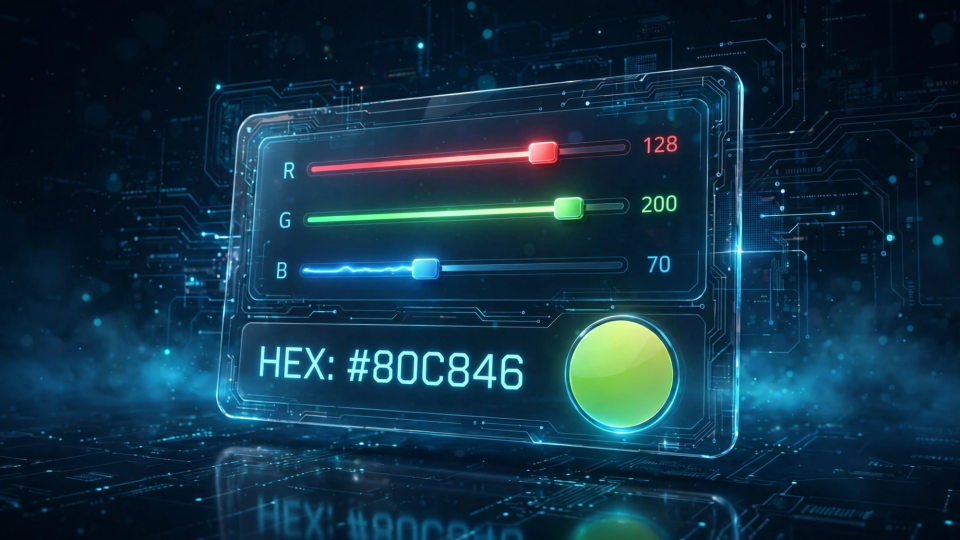
You copied a color from your browser's developer tools — rgb(51, 102, 153) — and now your stylesheet needs it as a HEX code. Converting RGB to HEX is a five-minute skill every web developer and designer ends up needing, whether you are matching a brand color, cleaning up computed styles, or moving a color from a design tool into CSS. This guide explains how RGB maps to HEX, walks through a step-by-step example you can check yourself with FBSubNet's free HEX / RGB Color Converter, and shows how to verify the result before it ships.
How RGB maps to HEX
RGB and HEX are two notations for the exact same thing: a color defined by how much red, green, and blue light it contains. They describe the same color in the sRGB model, so the conversion never loses any information — you can round-trip between them freely.
RGB writes each channel as a decimal number from 0 to 255, like rgb(51, 102, 153). HEX writes the same three numbers in base 16 (hexadecimal), two digits per channel, joined after a # sign: #RRGGBB. Because 255 is the largest value, each channel needs at most two hex digits (FF is 255 in hexadecimal).
Why does CSS favor HEX? One token is quicker to type, easier to scan in a long list of custom properties, and copies cleanly between a design tool and code. #336699 is simply less to read than rgb(51, 102, 153), and both mean the identical color. RGB earns its place when a value is computed in JavaScript or animated; for a static color sitting in a stylesheet, HEX is the convention.
The conversion, channel by channel
Each channel converts independently with the same two steps:
- Divide the decimal value by 16. The integer quotient becomes the first hex digit.
- The remainder becomes the second hex digit.
Digits 10–15 are written as letters A–F (10=A, 11=B, 12=C, 13=D, 14=E, 15=F). Values below 16 still produce two digits — a leading zero pads them, so decimal 9 becomes 09, not 9. That padding is the detail most manual conversions get wrong.
Step-by-step example: rgb(51, 102, 153)
Here is the worked example, converted one channel at a time. You can follow along in the HEX / RGB Color Converter: type 51, 102, and 153 into the red, green, and blue fields and every field — HEX, RGB, HSL, and the preview — updates to match.
Red channel: 51
51 ÷ 16 = 3, with a remainder of 3. Both digits are 3, so the red channel is 33.
Green channel: 102
102 ÷ 16 = 6, with a remainder of 6. Again a double digit: the green channel is 66.
Blue channel: 153
153 ÷ 16 = 9, with a remainder of 9. The blue channel is 99.
Joining the three pairs after the # prefix gives:
rgb(51, 102, 153) → #336699The converter confirms this instantly — and because the math is exact, you can trust the result: #336699 pasted into any CSS color or background-color property renders precisely the same muted blue as the original rgb() value.
Two more conversions to build intuition
Once the pattern clicks, you will read HEX pairs almost like decimal:
rgb(30, 144, 255)   →  #1E90FF   (dodger blue)
  30 ÷ 16 = 1 rem 14 → 1E | 144 ÷ 16 = 9 rem 0 → 90 | 255 → FF

rgb(196, 95, 64)    →  #C45F40   (terracotta)
  196 ÷ 16 = 12 rem 4 → C4 | 95 ÷ 16 = 5 rem 15 → 5F | 64 ÷ 16 = 4 rem 0 → 40
Notice the terracotta example: it is the same conversion the HEX / RGB Color Converter demonstrates on its own page, which makes it a good sanity check that your manual math and the tool agree.
Check the result
Converting is the easy half. The other half is making sure the HEX you paste behaves the way you expect in real code.
1. Paste it into CSS and look at it
The fastest verification is visual. Drop the HEX into a stylesheet or an inline style and compare it against the source:
.card {
  background-color: #336699;   /* was rgb(51, 102, 153) */
  color: #ffffff;
}
If the color came from a design tool or browser devtools, open both side by side. The converter's own live preview serves the same purpose before you ever touch your code — the preview swatch updates with every keystroke, so a typo shows up as a visibly wrong color.
2. Reverse-check: HEX back to RGB
Converting back is the same operation in reverse: split #336699 into 33, 66, 99, and convert each pair from base 16. 33 in hex is 3×16 + 3 = 51, 66 is 6×16 + 6 = 102, 99 is 9×16 + 9 = 153. If you land back on your original triplet, the conversion is correct. The converter does this direction too — paste a HEX code and the RGB fields snap to match.
3. Know when shorthand applies (and when it doesn't)
CSS allows a three-digit shorthand when each channel's two digits repeat: #336699 can be written #369, and #FFFFFF becomes #FFF. The converter accepts short codes like #fa3 and expands them for you. But most colors don't qualify — #1E90FF has no valid shorthand — so the full six-digit form is the universally safe default. When in doubt, write all six digits.
Convert RGB to HEX in code
If you are generating colors in JavaScript — from a canvas, an animation, or a theme builder — you will often hold RGB numbers and need HEX for output. The one-liner mirrors the manual steps exactly: convert each channel to base 16 and pad to two digits.
const rgbToHex = (r, g, b) =>
  '#' + [r, g, b].map(n => n.toString(16).padStart(2, '0')).join('');

rgbToHex(51, 102, 153); // '#336699'
The padStart(2, '0') call is the programmatic version of the leading-zero rule from the manual method — it is what keeps channel 9 as 09 instead of 9. Round-trip it the other way by parsing each pair with parseInt(pair, 16). When a snippet like this lives in your utilities file, manual conversion becomes a once-a-year curiosity rather than a daily chore.
Common pitfalls to avoid
- Channel order mix-ups.
rgb(153, 51, 102)is a dusty rose, not the blue you wanted. Always double-check that the numbers are in red, green, blue order before converting — design tools sometimes hand you HSB or CMYK instead. - Values outside 0–255. Every channel must be a whole number from 0 to 255. A computed value like 300 needs clamping to 255 first; the math breaks otherwise.
- Missing leading zeros. Decimal 9 converts to
09, not9. Dropping the zero shifts every channel after it and produces a completely different color. - Forgetting the
#prefix. In CSS,color: 336699is invalid — the hash is part of the syntax, not decoration. - Uppercase versus lowercase.
#336699and#336699— either case is valid and means the same color. Uppercase is more common in brand guidelines; lowercase dominates in codebases. Pick one and stay consistent. - Assuming HEX handles transparency. Plain
#RRGGBBhas no alpha channel. For translucency you need the 8-digit form (#RRGGBBAA, e.g.#33669980for 50% opacity) orrgba()— a separate conversion the plain RGB-to-HEX path doesn't cover.
What to do with the color next
A HEX code is rarely the end of the story. Once you have it:
- Build a palette around it. Feed
#336699into FBSubNet's Analogous Color Palette Generator to get five coordinated HEX colors from nearby positions on the hue wheel — a quick way to expand one brand color into a usable scheme. - Check text contrast. The HEX / RGB Color Converter shows WCAG contrast ratios for black and white text on your color. AA compliance needs at least 4.5:1 for normal text — worth a glance before the color goes behind any words.
- Store it as a CSS variable. Define
--brand-blue: #336699;once at the root of your stylesheet and reference the variable everywhere. Future color changes become a one-line edit instead of a find-and-replace across the project.
Frequently asked questions
Can every RGB value become a HEX code?
Yes. Every whole number from 0 to 255 maps to exactly one two-character hex pair, so the conversion is always exact and lossless. If a conversion looks wrong, the input was out of range or the channels were in the wrong order.
Is there a difference between rgb() and HEX in how the color renders?
None. They are two notations for the same sRGB value — rgb(51, 102, 153) and #336699 describe the identical color, and browsers render them identically. The choice is purely about readability and convention.
How do I convert rgba() with an opacity value?
Convert the RGB part to the six-digit HEX as usual, then append the alpha as a seventh and eighth digit. An alpha of 0.5 becomes 80 in hex (128 out of 255), so rgba(51, 102, 153, 0.5) is #33669980. Not all tooling supports 8-digit HEX, so test in your target browsers.
Why do some converters give a slightly different HSL?
HSL values are rounded to whole numbers for display, and several nearby HSL triples can map to the same RGB color. The HEX and RGB values are always exact — only the derived HSL display can wobble by a unit or two, which is expected and harmless.
Does HEX work in every browser?
Six-digit HEX is one of the oldest and most universally supported color formats in CSS — every browser renders it identically. The 8-digit alpha form (#RRGGBBAA) is also widely supported in modern browsers, but if you target very old ones, rgba() remains the safer choice for transparency.
Quick recap
- Each RGB channel (0–255) converts independently: divide by 16 for the first hex digit, take the remainder for the second.
rgb(51, 102, 153)→ 51=33, 102=66, 153=99→#336699.- Pad single digits with a leading zero, keep the
#prefix, and keep channels in RGB order.- Verify visually: paste the HEX into CSS, or reverse-convert it back to RGB.
- Use the HEX / RGB Color Converter to skip the arithmetic — it converts, previews, and checks contrast as you type.