How to Fix an Unexpected Token Error in JSON
Learn what the 'Unexpected token' JSON error means, how to read its position info, and fix each common cause — with parser messages and a step-by-step example.
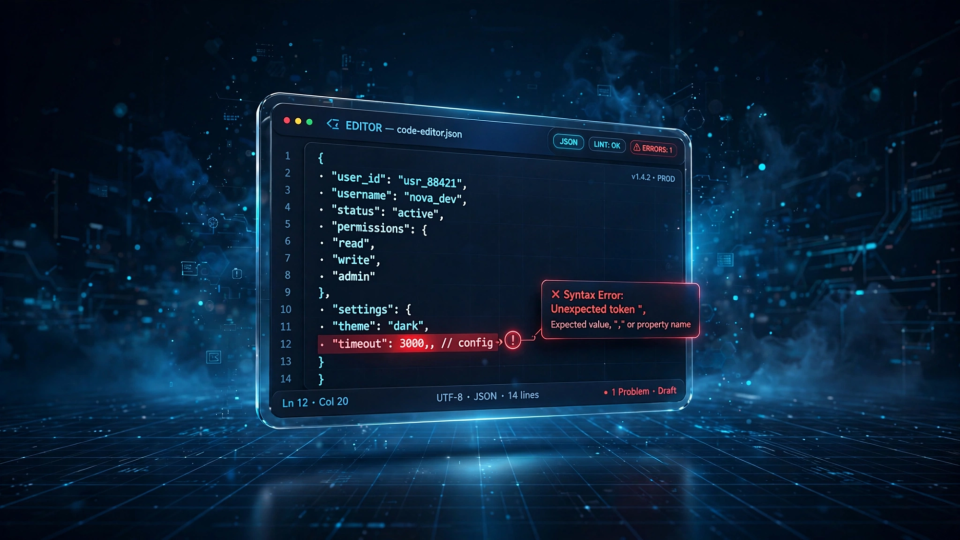
SyntaxError: Unexpected token } in JSON at position 25. If you work with APIs, config files, or JSON.parse(), you have almost certainly seen a message like this one. It stops your code, and because the reported position is not always where the real mistake is, it can send you hunting in the wrong place.
The good news: nearly every "unexpected token" error comes from a small set of syntax mistakes, and they are easy to fix once you know what to look for. This guide explains what the message means, how to read its position information, and how to fix each common cause with concrete before-and-after examples.
What the "Unexpected Token" Error Actually Means
JSON parsing works like this: a parser reads your text from left to right, expecting a very specific sequence of tokens — braces, brackets, quotes, colons, commas, and values. When it reaches a character that does not fit the grammar at that exact spot, it throws a SyntaxError and stops immediately. That character is the "unexpected token."
Three parts of the message matter: the token (the character the parser stopped on — not always where the mistake is), the position (character offset, counting from 0; newer parsers also give line and column), and the description of what the parser expected instead.
Note that the wording of these messages changed in recent JavaScript engines. Older Node.js and Chrome reported the classic Unexpected token } in JSON at position 25; newer versions say Expected double-quoted property name in JSON at position 25. Same error, new phrasing — which is why searches for "unexpected token in JSON" still match what you see on screen. Different validator tools may word the same failure differently again; treat them as different descriptions of one failed position, not different errors.
Common Causes With Examples
Here are the mistakes behind the overwhelming majority of "unexpected token" errors. Each one shows the broken input, the actual error message a current JavaScript engine produces (verified on Node.js v24), and the fix.
1. A trailing comma after the last item
This is the single most common cause. A comma after the final property of an object or the final item of an array looks harmless, but JSON does not allow it.
// Broken
{"name": "Sarah", "age": 28,}
The parser reads the comma, expects another property, and finds a closing brace instead:
SyntaxError: Expected double-quoted property name in JSON
  at position 25 (line 1 column 26)
Remove the comma:
// Fixed
{"name": "Sarah", "age": 28}
Trailing commas are legal in JavaScript object literals — a common source of this mistake.
2. Single quotes or unquoted property names
JSON requires double quotes around every property name and every string value. Single quotes and bare keys are JavaScript syntax, not JSON syntax.
// Broken
{'name': 'Sarah'}
{name: "Sarah"}
SyntaxError: Expected property name or '}' in JSON
at position 1 (line 1 column 2)Notice the position: 1, not 0. The parser failed on the first offending character:
// Fixed
{"name": "Sarah"}
3. Comments in the JSON
JSON has no comment syntax — neither // nor /* */ is allowed. Config-file habits from other languages do not transfer.
// Broken
{"a": 1 // the first value}
SyntaxError: Expected ',' or '}' after property value in JSON
at position 8 (line 1 column 9)// Fixed
{"a": 1}If your configuration genuinely needs comments, consider a format that supports them (such as JSONC or YAML) instead of standard JSON.
4. A missing comma between items
Forget one comma and the parser tries to read two values as one:
// Broken
{"a": 1 "b": 2}
SyntaxError: Expected ',' or '}' after property value in JSON
at position 8 (line 1 column 9)// Fixed
{"a": 1, "b": 2}5. Unescaped quotes or control characters inside strings
A string value may not contain a raw double quote or a literal line break. The parser treats the first unescaped quote as the end of the string, and everything after it makes no sense to it.
// Broken — the quote before "hi" ends the string early
{"msg": "She said "hi""}
SyntaxError: Expected ',' or '}' after property value in JSON
at position 19 (line 1 column 20)Escape them with a backslash:
// Fixed
{"msg": "She said \"hi\""}
The same applies to literal newlines and tabs — a string may not span multiple lines unless each line break is written as \n:
// Broken — literal line break inside a string
{"msg": "line one
line two"}
SyntaxError: Bad control character in string literal in JSON
at position 17 (line 1 column 18)// Fixed
{"msg": "line one\nline two"}6. Smart quotes from rich-text sources
Copy text from a document, slide deck, or web page and you may paste curly "smart quotes" (“ and ”) instead of straight ASCII double quotes. JSON only accepts the straight kind.
// Broken — the quotes are curly, not straight
{“name”: “Sarah”}
SyntaxError: Expected property name or '}' in JSON
at position 1 (line 1 column 2)Replace them with plain double quotes, ideally by re-typing the quotes at the source rather than a global find-and-replace, which can damage legitimate prose inside string values.
7. Parsing something that is not a string
JSON.parse() expects JSON text. Pass it anything else and the result is confusing. Two classics:
// Broken — parsing undefined
JSON.parse(undefined)
SyntaxError: "undefined" is not valid JSON// Broken — parsing an object that is already parsed
const data = { active: true };
JSON.parse(data)SyntaxError: "[object Object]" is not valid JSONThe second happens when you parse something twice: JavaScript silently converts the object to the string "[object Object]", which then fails as JSON. Check the type before parsing:
if (typeof input === "string" && input.length > 0) {
  const data = JSON.parse(input);
}
8. Extra text around the JSON
A JSON document must be exactly one value — anything outside it breaks parsing:
- A JavaScript assignment:
var data = {"a": 1};— fails at the letterv. - A trailing semicolon or stray characters after the value:
{"a": 1} extra— fails at the first extra character. - An HTML error page from a failed API call: a response that starts with
<!DOCTYPE html>fails at the<. - A
NaNorInfinityvalue — JavaScript values, not JSON values.
The fix: make sure only the JSON itself reaches the parser. When a fetch fails this way, print the raw text before parsing so you can see what actually came back:
const text = await response.text();
console.log(text.slice(0, 120)); // inspect before parsing
const data = JSON.parse(text);
A Step-by-Step Fix Workflow
Here is a worked example. Suppose this arrives from an API and JSON.parse() throws:
{
  "user": "Maya Chen",
  "role": "admin",
  "permissions": ["read", "write",],
  'theme': "dark",
}
Step 1: Copy the error message and position. Pasting the document above into Node.js produces:
SyntaxError: Expected ',' or ']' after array element in JSON
  at position 66 (line 3 column 36)
The message points at line 3, column 36 — the comma right after "write" inside the array. That is the first problem: a trailing comma in the array.
Step 2: Fix only that one problem, then parse again.
{
  "user": "Maya Chen",
  "role": "admin",
  "permissions": ["read", "write"],
  'theme': "dark",
}
Now the error moves:
SyntaxError: Expected property name or '}' in JSON
  at position 78 (line 4 column 3)
Line 4, column 3 is the single-quoted 'theme'. Replace the single quotes with double quotes.
Step 3: Parse again.
{
  "user": "Maya Chen",
  "role": "admin",
  "permissions": ["read", "write"],
  "theme": "dark",
}
It parses cleanly. Notice the pattern: one error at a time, from the reported position outward. Parsers stop at the first failure, so a document with several mistakes reveals them one per attempt. Fix, re-parse, repeat.
Step 4: Confirm the data, not just the syntax. Spot-check types and fields — a document can be perfectly valid JSON and still be the wrong data for your application.
Fix It, Then Validate
A validator turns the guessing game into a point-and-click exercise. Paste the broken text into a tool that reports the exact line and column of the first error, fix that spot, and repeat. The FBSubNet JSON Formatter & Validator checks your input as you type and shows the line and column of the first error, so you can see precisely where parsing stops without running any code.
For a fuller walkthrough of working with JSON in the browser — formatting, minifying, and checking structure step by step — see Format JSON Online: A Beginner-Friendly Walkthrough.
Two cautions. First, formatting is not fixing: a formatter only rearranges whitespace in valid JSON — it cannot repair a missing quote or trailing comma. You fix the syntax; the formatter makes the result readable. Second, be careful with sensitive data: never paste production secrets into a tool you do not fully trust. The FBSubNet tool processes everything in your browser and sends nothing to a server.
Preventing the Error in Code
If you parse JSON in your own code, a few habits make "unexpected token" errors non-events instead of crashes.
Wrap parsing in try-catch. Never let a malformed payload crash the whole program:
function safeParse(text) {
  try {
    return JSON.parse(text);
  } catch (error) {
    console.error("Invalid JSON:", error.message);
    return null;
  }
}
Check the type first. As shown above, parsing undefined, null, or an already-parsed object produces bewildering messages. A one-line guard eliminates all three:
if (typeof text !== "string" || text.trim() === "") {
  throw new Error("Expected a JSON string, got: " + typeof text);
}
Validate fetch responses before parsing. A failed API call often returns HTML instead of JSON, so read the body as text first:
const response = await fetch("/api/data");
const text = await response.text();
if (!response.ok || !text.trim().startsWith("{")) {
  throw new Error("API did not return JSON: " + text.slice(0, 100));
}
const data = JSON.parse(text);
Troubleshooting: Quick Answers to Common Variants
Why do I get "Unexpected token u in JSON at position 0"?
You are parsing the value undefined — the parser received the string "undefined" and failed on the u. Find out why the value is missing: a mistyped key, an empty storage slot, or a field the API no longer sends.
Why do I get "Unexpected token o in JSON at position 1"?
You are parsing an object that is already parsed — JSON.parse() received "[object Object]" and failed on the o. Use the object directly; use JSON.stringify() when you need to convert an object to text.
What does "Unexpected end of JSON input" mean?
The string ended before the document was complete — most often an empty string, or text that was cut off. Check you are passing the full response, and watch for truncation with large files or streams.
The error is at position 0 — where do I start?
Position 0 means the very first character is wrong. Usual suspects: an HTML response starting with <, the word undefined, a byte-order mark (BOM) at the start of a file, or a server log prefix glued onto the JSON. Print the first 80 characters of the input and the answer is usually visible immediately.
Why does the error move after each fix?
Parsers report only the first failure they hit. Each fix lets the parser travel further, so a document with several mistakes surfaces them one at a time. Fix, re-parse, repeat until the document parses cleanly.
Conclusion
An "unexpected token" error means one thing: "I stopped here, at this character." Read the position, look for one of the common mistakes — a trailing comma, single quotes, unquoted keys, comments, a missing comma, unescaped characters, or text that is not JSON at all — fix it, and parse again. Paste anything stubborn into the JSON Formatter & Validator to get the exact line and column of the first failure.