How to Turn Real User Questions Into Better FAQ Content With AI
Turn real support questions into a sharper FAQ with AI: collect genuine tickets, cluster them by intent, and verify every answer before publishing.

Most FAQ pages answer questions nobody asked. A team guesses what customers might wonder, while support answers the same five real questions every day — and none of those answers make it onto the website.
The fix is to build the FAQ backwards: start with the questions people already asked, in their own words, and let AI do the sorting and drafting. Your support inbox already contains a better FAQ than any brainstorming session will produce. This guide shows how, using fictional anonymized examples throughout.
Why real questions beat invented ones
An invented FAQ fails in two ways. First, it answers the wrong questions: teams write about features they are proud of, while customers ask about the setting they cannot find or the error message at checkout. Second, it uses the wrong words — teams say "account provisioning" while customers say "I can't log in after I changed my email." The customer's phrasing matches how people search and how they describe the problem.
Real questions carry a second advantage: counts. When twenty-three tickets ask how to reset a password and two ask about an obscure export format, you know which question goes first. An invented FAQ has no such signal. AI fits here because the heavy lifting is pattern work, not judgment: counting, grouping, and drafting is what a language model does well. The judgment — what is true, what is safe to publish — stays with you.
Collect genuine questions
Gather the raw material: solved support tickets, live-chat transcripts, support emails, and the search queries that already bring people to your help pages. A month of tickets from a small team is usually enough — you want volume with repetition, because repetition is the signal.
Most helpdesks — Zendesk, Freshdesk, Help Scout, Intercom — export tickets to CSV; if yours does not, copy subject lines and first customer messages into a spreadsheet by hand. Keep only the date, the customer's message, and your team's reply.
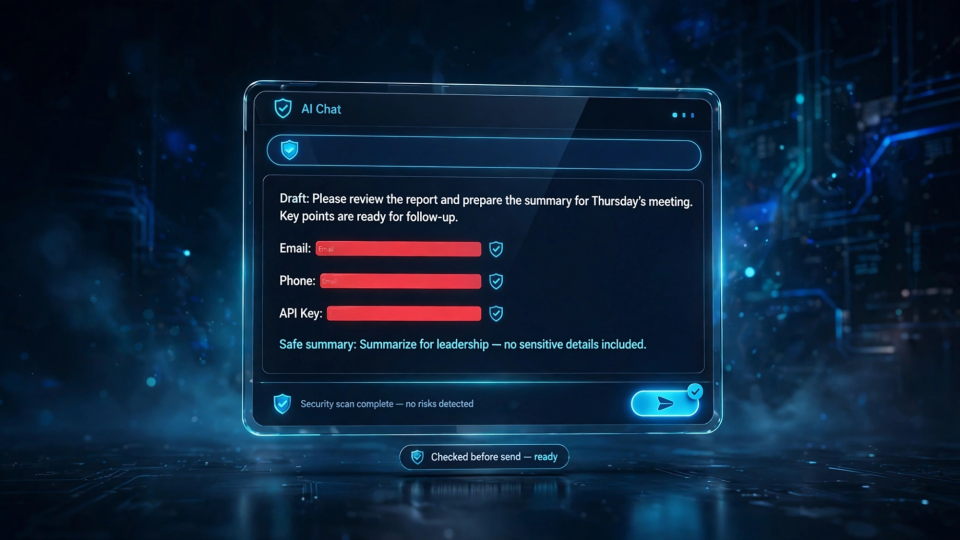
Before that text goes near an AI tool, strip out personal information: names, emails, phone numbers, order numbers, account IDs, and addresses — replace names with roles such as [CUSTOMER]. For a fuller checklist, see FBSubNet's Privacy Checklist Before Pasting Information Into AI Chat.
Learn the workflow on a small fictional example: twelve invented, anonymized support messages — no real customers — that behave like a real batch. A few questions repeat, a few are one-offs. The full set appears in the worked example below, where password resets, email changes, and invoices dominate. That is the point of collecting first and writing second — the priorities announce themselves.
Cluster by intent
Clustering means grouping messages by the question behind them, not the words on the surface. "How do I reset my password?" and "Password reset email never arrived" are one intent: getting back into an account. "Where do I download my invoice" and "My invoice shows the wrong company name" share a word but are two intents: finding a document versus fixing a detail on it.
Do the first pass with AI. Paste your cleaned messages into ChatGPT, Claude, or Gemini — any handles a small batch on a free plan — with a prompt that asks for counting, not just grouping:
You are a customer-support analyst. Below are support messages with personal details removed.
1. List every distinct customer question, merging ones that mean the same thing.
2. Show how many messages each appears in, and quote the customer's wording for the most common version.
3. Sort from most to least frequent.
4. Flag any question where the replies gave different answers.

Messages:
[paste your cleaned messages here]
The count matters more than the grouping. A question asked once belongs in a ticket reply; a question asked ten times belongs at the top. Keep the questions that together cover roughly the top 80% of your messages. For the fictional batch, the AI returns a ranked list like this:
| Rank | Question (customer wording) | Messages |
|---|---|---|
| 1 | How do I reset my password? | 3 |
| 2 | How do I change the email on my account? | 2 |
| 3 | Where is my invoice? | 2 |
| 4 | How do I get a refund for a double charge? | 1 |
| 5 | What does "session expired" mean? | 1 |
| 6 | How do I cancel but keep my data? | 1 |
| 7 | Do you offer nonprofit discounts? | 1 |
| 8 | How do I fix the company name on my invoice? | 1 |
The ranking decides for you. Password resets, email changes, and invoices are the FAQ. The refund question is a strong candidate even with one message, because billing questions repeat and a missing answer costs trust. The nonprofit discount can wait; the session-expired question earns a place, because error messages are exactly what people search for verbatim.
Check the clusters by hand. Models sometimes merge questions that only look alike — "cancel my account" and "cancel my subscription" can mean different things — and sometimes split one question because the wording differs. Ask of each group: would one answer satisfy all of these? Ten minutes on a small batch keeps the FAQ honest.
Verify each answer
Drafting answers with AI is fast, and that speed is the risk. A chatbot will confidently answer questions about your refund window or cancellation flow — and invent the details if you do not give it a source. Check every AI-drafted answer against something authoritative: your documentation, your settings pages, or a reply your team already sends.
Give the AI your sources in the prompt instead of letting it guess. Paste the relevant help article, the steps from your own testing, or your best existing ticket reply, and tell it to use only that material:
Using ONLY the help article and reply below, write a short FAQ answer to "How do I reset my password?"
- Direct answer first, then the steps. Under 100 words.
- Do not add details that are not in the sources.
- If the sources do not cover part of the question, say so instead of guessing.

Sources:
[paste the help article and your best reply here]
Then verify the draft yourself, in the real product. Click through the password reset exactly as a customer would. If the draft says the reset link expires in 24 hours, check whether that is true. Products change, help articles lag, and AI cannot tell the difference. A wrong answer on a public FAQ is worse than no answer: customers follow it, fail, and write an angrier ticket.
Watch for three failure modes: merged answers wrong for both questions, confident specifics (time limits, prices, version numbers) the sources never stated, and tone drift into marketing copy. The fix is the same — a human reads every answer against a source before it ships. Keep answers short: two to five sentences, direct answer first. A question needing a screenshot walkthrough belongs in your knowledge base.
Worked example: from twelve tickets to a six-question FAQ
Here is the full pass over the fictional batch. Before: twelve scattered messages — three about passwords, two about email changes, two about invoices, five one-offs. After: six FAQ entries, ordered by frequency.
Before — the raw inbox (fictional, anonymized):
1. "I changed my email address and now I can't log in."
2. "Where do I download my invoice for last month?"
3. "How do I reset my password?"
4. "The app says my session expired, what does that mean?"
5. "Can I get a refund for the extra month I was charged?"
6. "How do I reset my password, I tried the link twice."
7. "Where is my invoice? I need it for expenses."
8. "I want to cancel, but keep my data for now."
9. "Password reset email never arrived."
10. "Do you offer a discount for nonprofits?"
11. "How do I change the email on my account?"
12. "My invoice shows the wrong company name."
After — the published FAQ draft:
- How do I reset my password? Use the "Forgot password" link on the sign-in page with the email address on your account. If the message does not arrive within a few minutes, check spam, then request a new link.
- How do I change the email address on my account? Sign in, open Settings, then Account, and update the email field. Confirm the change through the message sent to the new address.
- Where do I find my invoices? Invoices are listed under Billing, then Invoices, most recent first, each downloadable as a PDF. If one is missing, check whether the payment was made on a different account.
- What does "session expired" mean? You were signed out automatically after a period of inactivity. Sign in again; your work is saved. If it keeps happening, clear your browser cookies and sign in once more.
- How do I get a refund for a double charge? Contact support with the date and amount of the duplicate charge. Refunds go to the original payment method, usually within five to ten business days.
- How do I cancel but keep my data? Cancel from Billing, then Subscription. Your data stays available read-only for 30 days, and you can export it during that window before it is deleted.
What changed: the three password messages became one entry, using the customer's own wording as the heading. The two invoice questions stayed separate — finding an invoice and fixing a name on one need different answers. Every answer above is a draft pattern, not a claim about any real product.
Once the answers are verified, add FAQ schema so search engines and AI search features can read the page as questions and answers. FBSubNet's free FAQ Schema Generator builds the JSON-LD markup for you.
Publish, measure, and keep it current
Publish the FAQ where customers already look: linked from your help center, contact page, and footer. Give each question its own link so agents can paste it into replies instead of retyping the answer.
Then measure whether it works. Compare how often each FAQ question arrives as a ticket before and after publishing: if password-reset tickets fall, the page is working. Also watch the queries in your help-center search box — they are the next candidates, and the ones returning no results are the gaps.
Review quarterly: pull the latest tickets, count again, and compare against the FAQ. Add what has grown frequent, fix answers that no longer match the product, and remove what nobody asks any more. An FAQ nobody revisits quietly goes stale.
Common mistakes to avoid
- Publishing uncleaned tickets. Real names and order numbers in a prompt are a privacy failure. Redact first, every time.
- Letting AI invent the answers. If a draft fact has no source in a document or a tested step, remove it.
- Keeping every question. A question asked once does not belong on the FAQ. A short page covering the top ten beats a long page nobody reads.
- Writing in internal language. If customers say "I can't log in" and your FAQ says "troubleshoot account provisioning", they will never find it.
- Publishing and forgetting. Products change and answers rot. A FAQ that contradicts the product is worse than none.
Frequently asked questions
How many support tickets do I need before building an FAQ?
A month of tickets from a small team is usually enough. Even fifty messages show which questions dominate. Start with what you have; the review cycle catches the rest.
Should I paste real tickets into a free AI chatbot?
Only after removing personal information — names, emails, order numbers, account IDs, and addresses. If your tickets cannot be cleaned reliably, learn the workflow with fictional messages like the ones in this guide.
Start with the questions you already have
You do not need a new tool, a survey, or a workshop to write a better FAQ. You need the questions your customers already asked, counted honestly, grouped by what they actually want, and answered from sources you can point to. AI makes the counting and drafting fast; your judgment makes the result trustworthy.