How to Encode Unicode Text as Base64 Without Garbled Characters
Learn why Unicode text turns garbled in Base64 and how UTF-8 encoding fixes it, with worked multilingual examples you can try in FBSubNet's free tool.
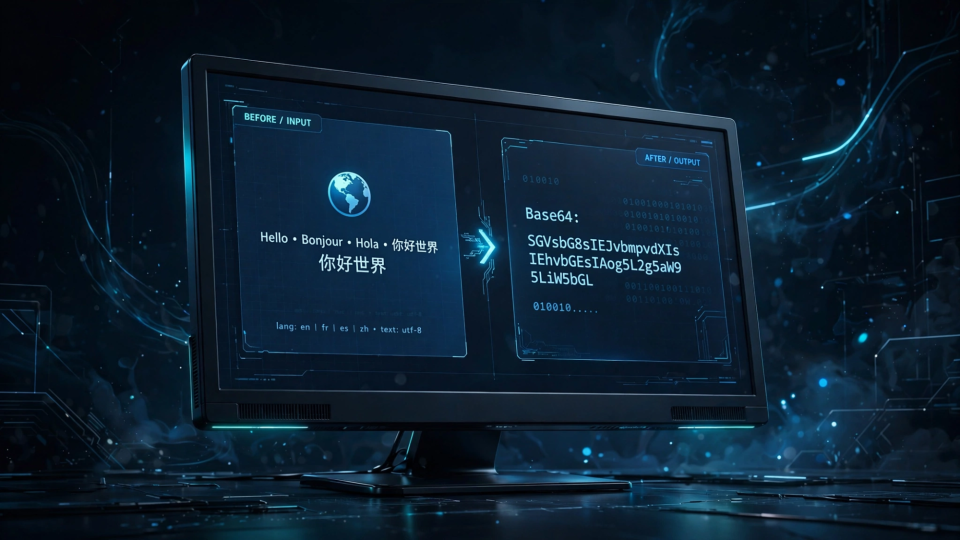
Copy a sentence with an accented letter or an emoji into a Base64 encoder, and the result sometimes comes back perfect — sometimes as replacement characters, question marks, or a hard error. The difference is not the Base64 step: Base64 never sees your characters, only bytes. The garbling happens one step earlier, when text is turned into bytes, and the fix is to make that step explicit: convert text to UTF-8 bytes first, then encode those bytes.
This guide explains why Unicode text breaks in Base64, shows the two-step process that prevents it, and works through a real multilingual example — including an emoji — with exact input and output you can check character by character. It also covers encoding and decoding in the browser, Node.js, and Python, plus diagnosing output that still looks wrong.
Why Unicode encoding fails
Base64 is a binary-to-text encoding: it represents bytes using 64 printable ASCII characters — A to Z, a to z, 0 to 9, plus and slash, with equals signs as padding. Nothing in that alphabet knows about accents, Chinese characters, or emoji, because by the time Base64 runs, the text is gone and only bytes remain.
That is where the trouble starts. A character is not a byte. It is a letter, a symbol, or a picture, and turning it into bytes requires a character encoding — a rule saying which numbers represent which characters. The same character can become different bytes under different rules, and if encoder and decoder disagree about the rule, the text comes back damaged.
For plain English the problem hides: ASCII letters, digits, and basic punctuation each fit in one byte, and every common encoding agrees on those values. So "Hello" always becomes the same five bytes, and its Base64 is always SGVsbG8=.
Step outside ASCII and the agreement ends. The letter é is one byte under Latin-1 but two under UTF-8. The globe emoji 🌍 is four bytes under UTF-8 and cannot be a single byte at all. A tool silently assuming one rule while you assume another produces output that decodes wrong — or fails outright.
The most famous version of this failure lives in the browser. JavaScript's built-in btoa() only accepts Latin-1 characters, code points 0 to 255. Hand it an emoji or a Chinese character and it throws an error about characters outside that range. Hand it an accented letter like é and it does something sneakier: it succeeds, but encodes the Latin-1 byte rather than the UTF-8 bytes, so decoding as UTF-8 later returns a replacement character instead of é. The function did not fail; it answered a different question from the one you asked.
This is the root cause of nearly every garbled-Base64 complaint: somewhere in the chain, text became bytes under one encoding and returned under another, or a Latin-1-only function met characters it cannot represent. The cure: stop letting that conversion happen implicitly, and name UTF-8 at both ends.
UTF-8 and Base64: the two-step process
The reliable way to encode Unicode text as Base64 has exactly two steps, in this order:
- Text to bytes: convert the string to bytes using UTF-8. UTF-8 is the standard encoding for text on the modern web and can represent every Unicode character: accented letters take two bytes, most Chinese, Japanese, and Korean characters take three, and emoji take four.
- Bytes to Base64: encode those bytes with the standard Base64 alphabet. This step is mechanical — three bytes in, four characters out — and never needs to know what the bytes mean.
Decoding reverses the pair: Base64 back to bytes, then bytes to UTF-8 text. Skip either half and the round trip breaks. Encode as Latin-1 but decode as UTF-8, and accents corrupt; read UTF-8 bytes as Latin-1, and you get classic mojibake — "Café" instead of "Café".
Why UTF-8? Because the rest of the web already assumes it. Browsers, JSON APIs, and most modern tools treat text as UTF-8 by default, so the decoder on the other end most likely agrees without either side saying so. FBSubNet's own Base64 Text Encoder / Decoder states this on its tool page: UTF-8 is used so accents and emoji work.
One property worth knowing: Base64 output is roughly a third larger than the input, because four characters now carry what three bytes used to. Unicode text grows faster than it looks, since one emoji is four bytes before encoding begins — normal growth, not corruption.
Test with multilingual text: a worked example
The demonstration for this guide is one short sentence mixing English, Chinese characters, and an emoji:
Hello, 世界! 🌍The counts are part of the lesson. The sentence has 12 characters, but characters are not bytes. Under UTF-8, English letters and punctuation are 1 byte each, each Chinese character is 3 bytes, and the emoji is 4 bytes — 19 bytes in total:
- "Hello, " — 7 characters, 7 bytes
- "世界" — 2 characters, 6 bytes
- "! " — 2 characters, 2 bytes
- "🌍" — 1 character, 4 bytes
Encoding those 19 UTF-8 bytes as Base64 gives:
SGVsbG8sIOS4lueVjCEg8J+MjQ==Decoding that string back to bytes and reading them as UTF-8 returns the original sentence exactly — nothing lost, because both ends used the same encoding.
Now watch the first step use the wrong rule. Encoding "Café" as Latin-1 bytes gives Q2Fm6Q==; as UTF-8 bytes it gives Q2Fmw6k=. The outputs look similar but decode differently: decode the Latin-1 output as UTF-8 and you get "Caf�", with a replacement character where é should be — the signature of an encoding mismatch.
Three more verified examples to check your own setup:
- "Café ☕" — 6 characters, 9 UTF-8 bytes — encodes to
Q2Fmw6kg4piV - "¡Hola, señor!" — 13 characters, 15 UTF-8 bytes — encodes to
wqFIb2xhLCBzZcOxb3Ih - "Grüße aus Berlin 🇩🇪" — 19 characters, 27 UTF-8 bytes — encodes to
R3LDvMOfZSBhdXMgQmVybGluIPCfh6nwn4eq
Try it in FBSubNet's Base64 Text Encoder / Decoder: paste "Hello, 世界! 🌍", choose Encode, and compare with SGVsbG8sIOS4lueVjCEg8J+MjQ==. Then decode that output and confirm the original returns intact. If both directions match, the tool handles UTF-8 correctly; garbling elsewhere is in the other tool's encoding step, not Base64 itself.
Encode it yourself: browser, Node.js, and Python
If you write code rather than using an online tool, the same two steps apply — with a different trap in each language.
In the browser: TextEncoder plus btoa()
Modern browsers provide TextEncoder, which converts a string to UTF-8 bytes, and btoa(), which encodes bytes presented as a binary string. Combine them:
function encodeBase64Unicode(str) {
  const bytes = new TextEncoder().encode(str);
  let binary = "";
  bytes.forEach((byte) => {
    binary += String.fromCharCode(byte);
  });
  return btoa(binary);
}

encodeBase64Unicode("Hello, 世界! 🌍");
// "SGVsbG8sIOS4lueVjCEg8J+MjQ=="
TextEncoder performs step one; the loop turns those bytes into a binary string, the only form btoa() accepts; btoa() performs step two. Never pass the original string directly to btoa() — that is the call that throws for emoji and Chinese characters and silently encodes Latin-1 bytes for accented letters.
In Node.js: Buffer handles it in one line
Buffer.from("Hello, 世界! 🌍", "utf8").toString("base64");
// "SGVsbG8sIOS4lueVjCEg8J+MjQ=="
The "utf8" argument is step one and "base64" is step two. Omitting the encoding argument relies on Node.js's UTF-8 default — it saves you today, but naming it explicitly protects the next reader from guessing.
In Python: encode, then b64encode
import base64

text = "Hello, 世界! 🌍"
encoded = base64.b64encode(text.encode("utf-8")).decode("ascii")
print(encoded)
# SGVsbG8sIOS4lueVjCEg8J+MjQ==
Python makes the two steps visible, because strings and bytes are different types. text.encode("utf-8") is step one, b64encode is step two, and the final .decode("ascii") turns Base64 bytes into an ordinary string, safe because Base64 output is always ASCII. Forget .encode("utf-8") and Python raises a type error instead of silently producing wrong output — an honest failure, far better than mojibake found later.
Decode it back without garbling
Decoding mirrors encoding exactly: Base64 to bytes, then bytes to UTF-8 text. In the browser:
function decodeBase64Unicode(base64Str) {
  const binary = atob(base64Str);
  const bytes = Uint8Array.from(binary, (c) => c.charCodeAt(0));
  return new TextDecoder().decode(bytes);
}

decodeBase64Unicode("SGVsbG8sIOS4lueVjCEg8J+MjQ==");
// "Hello, 世界! 🌍"
TextDecoder defaults to UTF-8, which is what you want. In Node.js the mirror is Buffer.from(base64Str, "base64").toString("utf8"), and in Python base64.b64decode(encoded).decode("utf-8"). In every language, decoding names UTF-8 explicitly. If you ever decode Base64 without knowing which text encoding the bytes represent, stop — that missing fact is the whole bug, waiting for a non-ASCII character to trigger it.
A practical habit: whenever you store or transmit a Base64 value that came from text, record the encoding alongside it. A field labelled "encoding": "base64" says how the value was packaged, not which text encoding produced the bytes inside. The complete description is "UTF-8 bytes, Base64-encoded".
Troubleshooting: when the output still looks wrong
Most remaining problems are not encoding problems, but they look like it. Check this list before blaming the encoding step.
Replacement characters (�) in the decoded text. This is the classic mismatch: some byte is not valid UTF-8, usually because the original was encoded as Latin-1 or another single-byte encoding. Re-encode from the original with UTF-8, and check every system the value passed through — a database column, log file, or chat window can each re-encode it.
An error about characters outside the Latin-1 range. Something is calling btoa() on the raw string instead of on UTF-8 bytes. Replace it with the TextEncoder pattern above, or switch to a UTF-8 tool such as FBSubNet's encoder.
Text that looks like "Café". This is mojibake: UTF-8 bytes were read as Latin-1, so the two bytes representing é displayed as two separate Latin-1 characters. The data is usually intact; display it as UTF-8 and the original returns.
A decoder error on an otherwise plausible string. Check whitespace first: some tools wrap output at a fixed line length, and copy-and-paste can insert newlines or spaces strict decoders reject. Strip whitespace and retry. Also check padding: a string whose length is not a multiple of four is missing trailing equals signs.
Plus signs turning into spaces, or slashes splitting a path. Your value is travelling through a URL, where standard Base64's + and / clash with URL syntax. Switch to Base64URL, which swaps them for a hyphen and underscore and usually drops padding — but the decoder must expect that variant.
Frequently asked questions
Is Base64 encryption?
No. Base64 is an encoding, not encryption: anyone holding the encoded string can decode it with no key and no permission. It protects data against garbled transmission through text-only channels, never against readers. FBSubNet's guide on Base64 encoding vs encryption explains the distinction, with a worked example you can reverse in seconds.
Does every character become longer in Base64?
Not every character — every byte. ASCII characters are one byte each, so they grow by the usual third. An emoji is four bytes before encoding, so it contributes roughly six Base64 characters. Output length depends on UTF-8 byte length, not on-screen character count.
What if my tool has no encoding option?
Then it has made the choice for you — discover what it chose. Encode "Café" and check: Q2Fmw6k= means UTF-8, Q2Fm6Q== means Latin-1. Encode an emoji: an error means the tool only handles Latin-1, so switch tools before real data passes through it.
Try it yourself
Try it in two minutes. Open FBSubNet's Base64 Text Encoder / Decoder, paste "Hello, 世界! 🌍", and confirm the output is SGVsbG8sIOS4lueVjCEg8J+MjQ==. Decode it back, confirm the emoji returns, then try "Café ☕" and check for Q2Fmw6kg4piV.
The bottom line
Base64 never garbles text, because it never sees text. Garbling happens when text becomes bytes under one rule and returns under another, or when a Latin-1-only function meets characters it cannot represent. Name UTF-8 at both ends — text to UTF-8 bytes, bytes to Base64, exact reverse to decode — and multilingual text, accents, and emoji survive unchanged.