How to Spot AI Hallucinations in Technical Answers
Learn how to spot AI hallucinations in technical answers — fake citations, impossible versions, and the quick checks that catch them.
An AI assistant can explain a sorting algorithm or walk you through a database migration in seconds — and sound completely sure of itself while doing it. That confidence is the trap. When a language model does not know something, it does not go silent: it predicts the most plausible-sounding continuation of your prompt, and the result can be a confident, detailed, entirely invented answer. This is an AI hallucination, and technical answers are where it does the most damage, because the invented parts look exactly like the real ones.
This guide shows you how to spot them before you act: the warning signs, a practical way to test any single claim, and follow-up prompts that make hallucinations rarer. Every example here is invented and labeled as such, so you can practice the checks safely.
What an AI hallucination actually looks like
A hallucination is not an ordinary wrong answer: a wrong product from a multiplication is an arithmetic error, while a hallucination is invented content with no basis in anything real. OpenAI's framing is useful: hallucinations are plausible but false statements, and they persist because models are trained to produce answers, not to say "I don't know."
In technical answers, hallucinations usually take one of three shapes:
- Pure fabrication. The model invents something outright — a library that does not exist, a paper nobody wrote, a quote nobody said. The names follow the shape of real things, so they pass a quick read.
- Plausible but wrong. The pieces are real, but the relationships are not: a real author paired with a paper they never wrote, a real function described as doing something it does not do, a real product assigned a version that was never released.
- Truth without grounding. The claim happens to be true, but the model had no basis for it — it guessed and got lucky. Challenge it, and the model may hallucinate a source to back a claim it never sourced.
None of these announces itself: a hallucination arrives in the same confident tone and clean formatting as a correct answer. Spotting them is therefore a checking skill, not a reading skill — you cannot reliably tell from the text alone, only from testing claims against the outside world.
Common warning signs
You need not verify every sentence an AI writes. But certain patterns should slow you down. Treat each as a flag, not a verdict: a flag means check this before you use it.
Over-confident specificity
The first tell is precision the model has no business having. Exact version numbers, precise percentages, page numbers, and verbatim quotes are the highest-risk details in any technical answer — a claim that a feature was "added in version 3.14.2" should make you ask where the number came from.
Citations that do not survive a click
Fake references are the most notorious hallucination type, and the easiest to test. Click the link: if it 404s, lands on an unrelated page, or says nothing like what the answer claims, you have caught a fabrication. Search the exact title in quotation marks — a real paper leaves traces, such as a publisher page or a repository. Silence across every search is a strong signal the source was invented, and vague citations with no author, no date, and no working link are the most common version of this tell.
Impossible versions and features
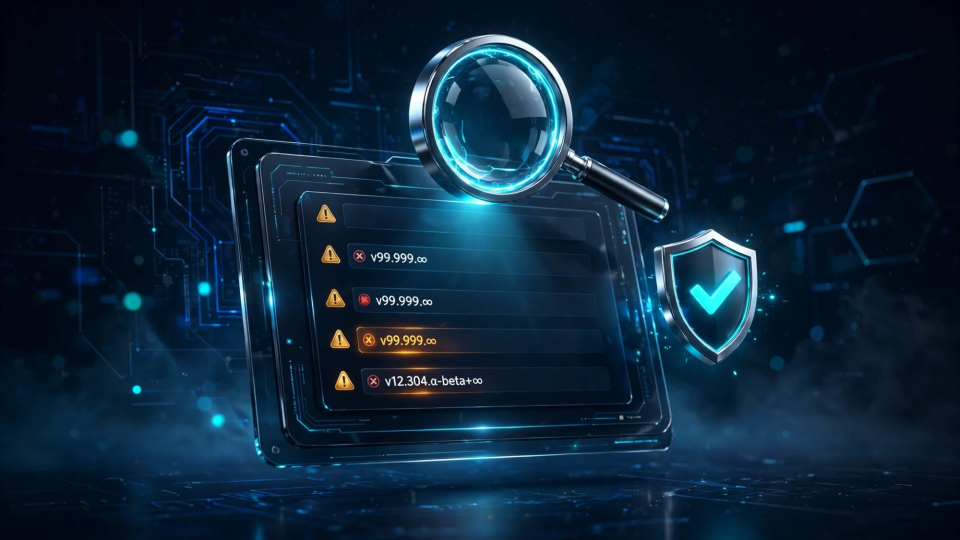
Version claims are easy to check against official release notes. Be suspicious when an answer describes a feature in a version that does not exist yet, or a capability a release never shipped. Fast-moving tools are the usual case: the model blends features from different versions into one imaginary release. A quick check of the official changelog settles it in under a minute.
Answers that change when you ask again
Ask the same factual question again in a fresh chat. If the two answers disagree on a fact — different dates, function names, or version numbers — at least one is invented. Anthropic's guidance recommends this test: a model that knows a fact tends to reproduce it, while one that guessed often guesses differently the second time.
Contradictions and suspiciously convenient details
Read the answer as a whole, not sentence by sentence. Hallucinated answers often contradict themselves — a function described one way and used differently in the code sample, or a date in the summary that does not match the timeline. And if an answer fits your question a little too neatly — the perfect statistic for your argument, the exact quote that proves your point — be cautious. Models are tuned to be helpful, and helpfulness can drift into telling you what you seem to want to hear. The same applies to niche topics and anything after the model's knowledge cutoff: the rarer the information, the more likely the model is guessing.
Test a specific claim
Warning signs tell you where to look; the next step is to test one claim properly. Here are two worked examples, both invented for this article, showing how a hallucination falls apart under ordinary checking.
Worked example 1: a fake reference
Suppose you ask an AI about caching strategies and it replies with this:
"According to a 2024 paper by Alvarez and Chen, 'Adaptive Cache Eviction in Distributed Systems,' published in the Journal of Systems Architecture, teams that switched to the proposed policy saw a 41% reduction in cache misses."
It has named authors, a year, a plausible title, a real-sounding journal, and a precise number:
- Search the exact title in quotation marks. A real 2024 paper with a headline result would appear on the publisher's site, a preprint server, or Google Scholar; in this demo, the search returns nothing but unrelated pages.
- Search the authors and the journal separately. The journal is real — that is part of the trick: the model borrowed a real container and filled it with an invented paper the named authors never wrote.
- Check the number. A 41% reduction in cache misses from one eviction-policy change is an extraordinary claim, and extraordinary claims need a real source, not just a confident sentence.
Verdict: cut it. The paper does not exist, the citation is fabricated, and the number has no backing. The routine is the same every time: search the title, the authors, and the journal — never let a citation stand on its formatting alone.
Worked example 2: an impossible version claim
Now suppose you ask about a TypeScript feature and the AI answers:
"TypeScript 9.0 introduced the
satisfiesAlloperator, which lets you validate an object against multiple interfaces at once. It shipped in the 9.0 release and is enabled by default."
This one is testable in a single step: open the official TypeScript release notes or handbook and search for satisfiesAll. You will not find it — no such operator exists, and TypeScript's versions have not reached 9.0; the current majors are in the 5.x range. The model took a real feature, the satisfies operator, invented a plausible extension, and attached it to a version that does not exist.
The lesson is general: whenever an answer ties a feature to a version, check the official changelog. If the feature is not there, it is not in the release.
The 60-second version of the test
For most claims, a quicker version works:
- Pull out the one load-bearing claim your decision depends on.
- Search the exact claim, in quotation marks, on a search engine.
- Open the best result and confirm it says what the AI said it says.
- If nothing credible confirms it, treat the claim as unverified: fix it, cut it, or flag it clearly.
The rule is simple: the AI is never the final proof that the AI was correct. Verification has to end at evidence outside the answer — a page you opened, a changelog you checked.
Safer follow-up prompts
Spotting hallucinations is one half of the skill; the other half is getting fewer of them. These prompt habits reduce invention, though none removes it entirely — Anthropic is explicit that they reduce hallucinations but do not eliminate them, so the checks above still apply.
Give the model your material
The single most effective change is to stop asking the model to recall facts and start asking it to work from material you supply. Paste the documentation or error log into the chat and add: "Answer only from the document below. If the information is not in it, say so." With the source in front of it, the model has far less room to invent.
Ask for sources and exact passages
Do not accept a bare citation. Ask for the title, author, publication date, and a direct link — and then the exact passage the claim comes from, with its location in the source. A model that must produce a verbatim quote with a location is much easier to catch, and a quote you can check in ten seconds is worth more than a polished summary. Remember, though, that a model without web access can fabricate a source that looks real, so the quote still needs opening by you.
Re-ask in a fresh chat, and use search for current facts
For any claim that matters, re-ask it from scratch in a new conversation: consistent answers across independent runs are reassuring, disagreement is a warning. You can also ask a second AI assistant the same question, ideally one that searches the web in real time and shows its sources. For anything recent — prices, releases, rules, features — use a search-enabled assistant, then open its sources yourself. Search grounding helps, because the model can pull in current information instead of guessing past its knowledge cutoff. But it is no shortcut past verification: an AI can link a page that does not support its claim or quote it inaccurately. The checking workflow stays the same; the starting material is just better.
A checklist you can reuse
Run this routine on any technical answer you plan to act on or publish:
- Click every link. A citation is not proof until the page exists and says what the answer claims.
- Search exact titles and quoted phrases in quotation marks.
- Check version claims against the official changelog.
- Re-ask the key question in a fresh chat and compare.
- Match effort to stakes: a brainstormed idea needs a careful read; a claim that affects a decision or goes into published work needs independent confirmation.
- Record your verdict for each claim — verified, fixed, cut, or flagged — so you do not re-verify it next month.
Frequently asked questions
Is asking the AI to check itself enough?
It is a useful first filter, not a verification method. The same limitations that produced the original error apply to the self-check, and a model asked "are you sure?" will often double down on a fabricated claim. Only independent, external sources truly confirm.
Should I stop using AI for technical answers?
No. AI assistants are genuinely useful for explaining concepts, drafting code, and summarizing material you have. The right response is a division of labor: the AI drafts and explains, and you verify the load-bearing facts before acting on them.
Conclusion
Spotting AI hallucinations comes down to a few repeatable habits: watch for over-confident specifics, fake references, and impossible versions; test the one claim that matters by searching it and opening the source; and use prompts that give the model your material and permission to say it does not know. The worked examples above were invented, but the routine that caught them is real. Once spotting becomes routine, AI stays a fast drafting partner while you stay the person who decides what is true enough to use. For the full verification workflow, see our companion guide on how to fact-check AI answers before publishing.